Dashtoon studio 2023-24 | Webcomic creation platform
Designing a webcomic creation platform from scratch pushing content creation velocity to 5x.
I joined Dashverse back in June 2023. The vision at that time was to build the flywheel supporting both the creation and distribution of webcomics. I was hired as the designer to build the creator platform Dashtoon Studio, from scratch.
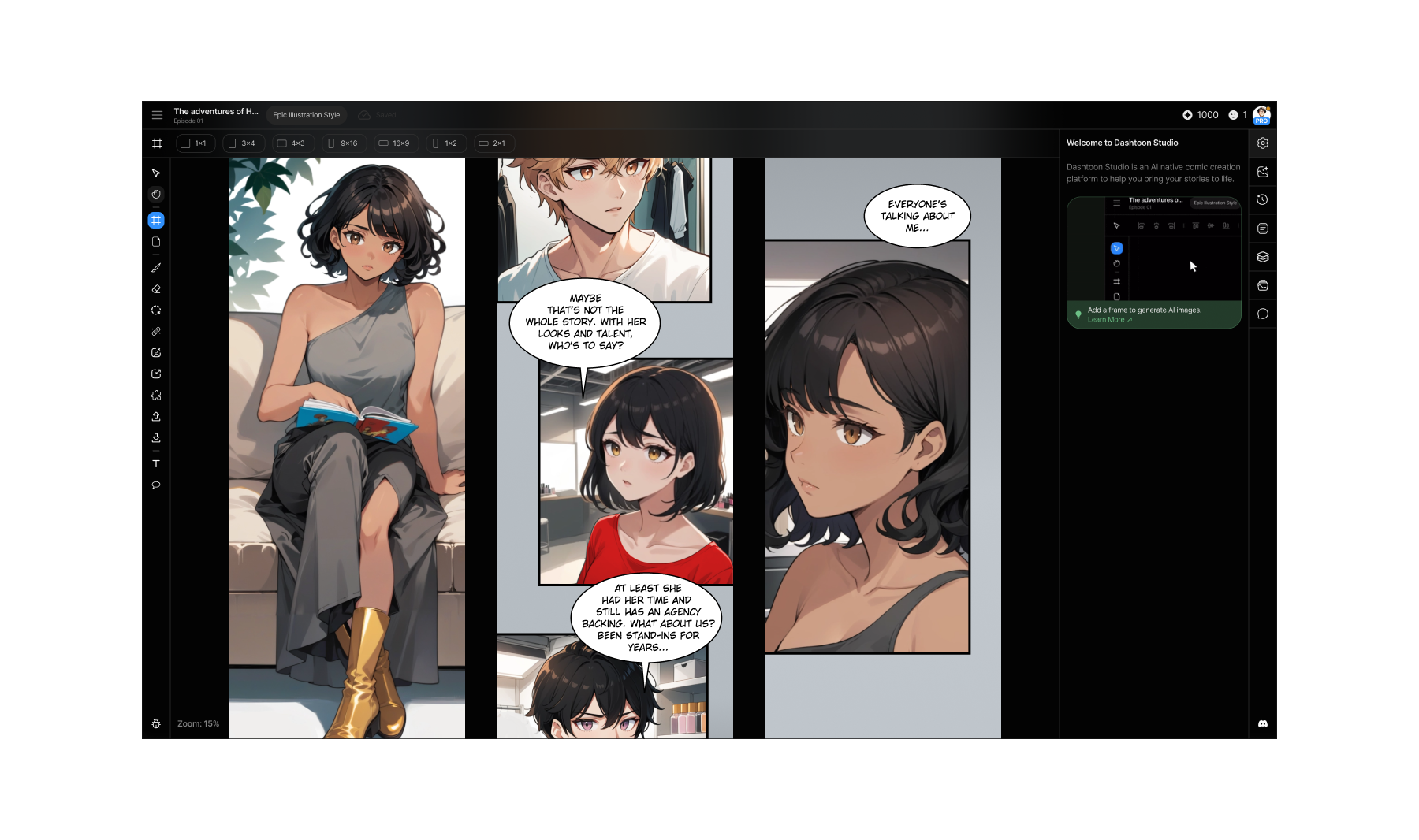 Dashtoon Studio 2024
Dashtoon Studio canvas, with panels from a webcomic, 2024
This version was a lot of fun to use, with 8K weekly active creators, 600 episodes published every week, content production velocity up by 5 times, from where we started.
But the journey to this point was full of challenges. Here's a short demo before getting into it.
Short demo of Dashtoon Studio, 2024
When I joined, artists were generating ~12 images a day on Automatic1111 and stitching the rest together across different tools.
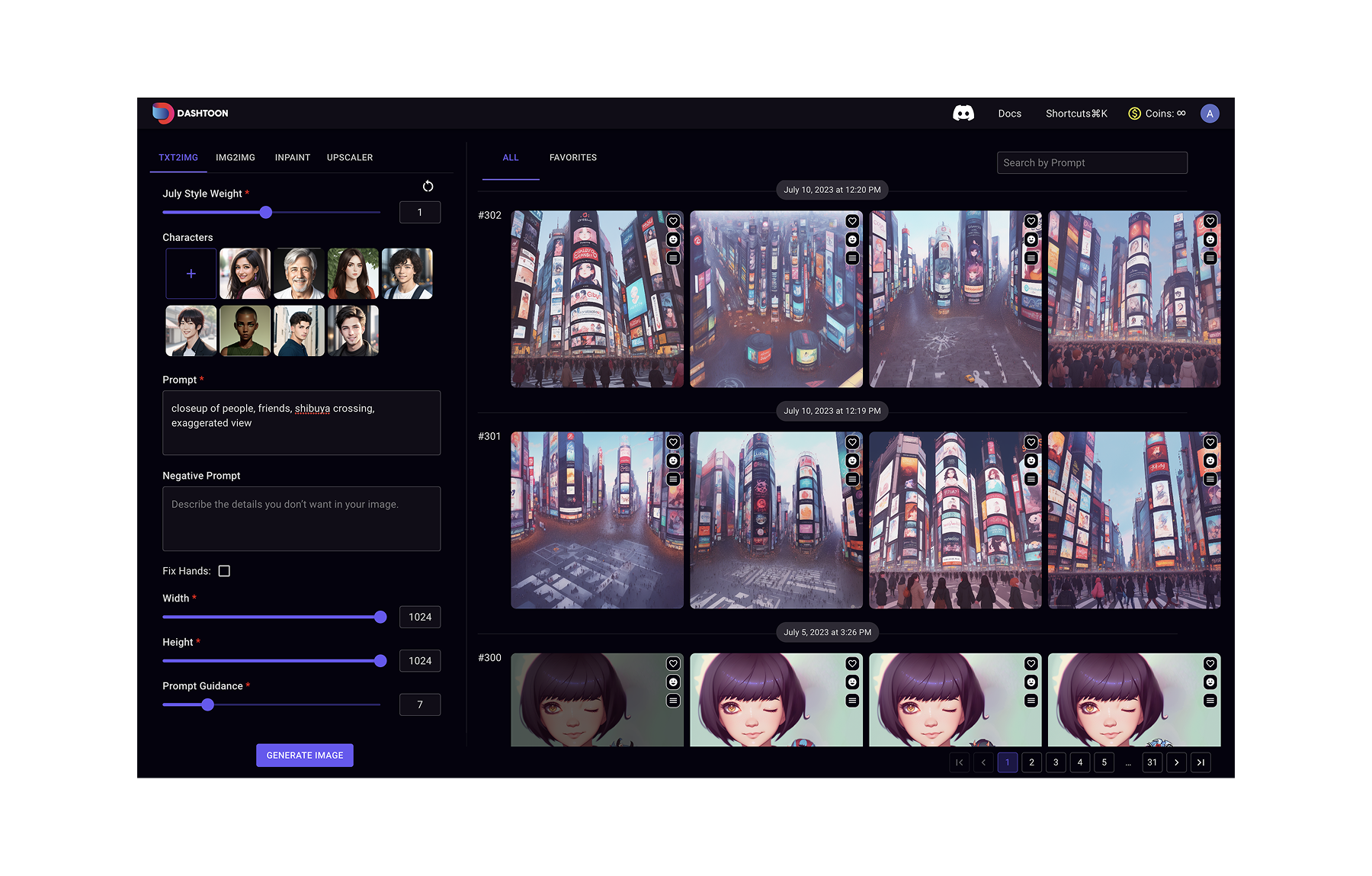 Dashtoon Studio, early 2023
This is what I started with, Automatic 1111 with SD 1.5.
Now, webcomics are episodic in nature. And creating a professional webcomic requires a script, storyboards, image generation with consistency, page layout, SFX and speech bubbles, post processing, publishing.
The pitch was to bring it all together and increase content velocity in the process. I pushed for two directions: **a Photoshop-with-actions approach, or a Figma-with-bulk-generations approach. **
I advocated for the second.
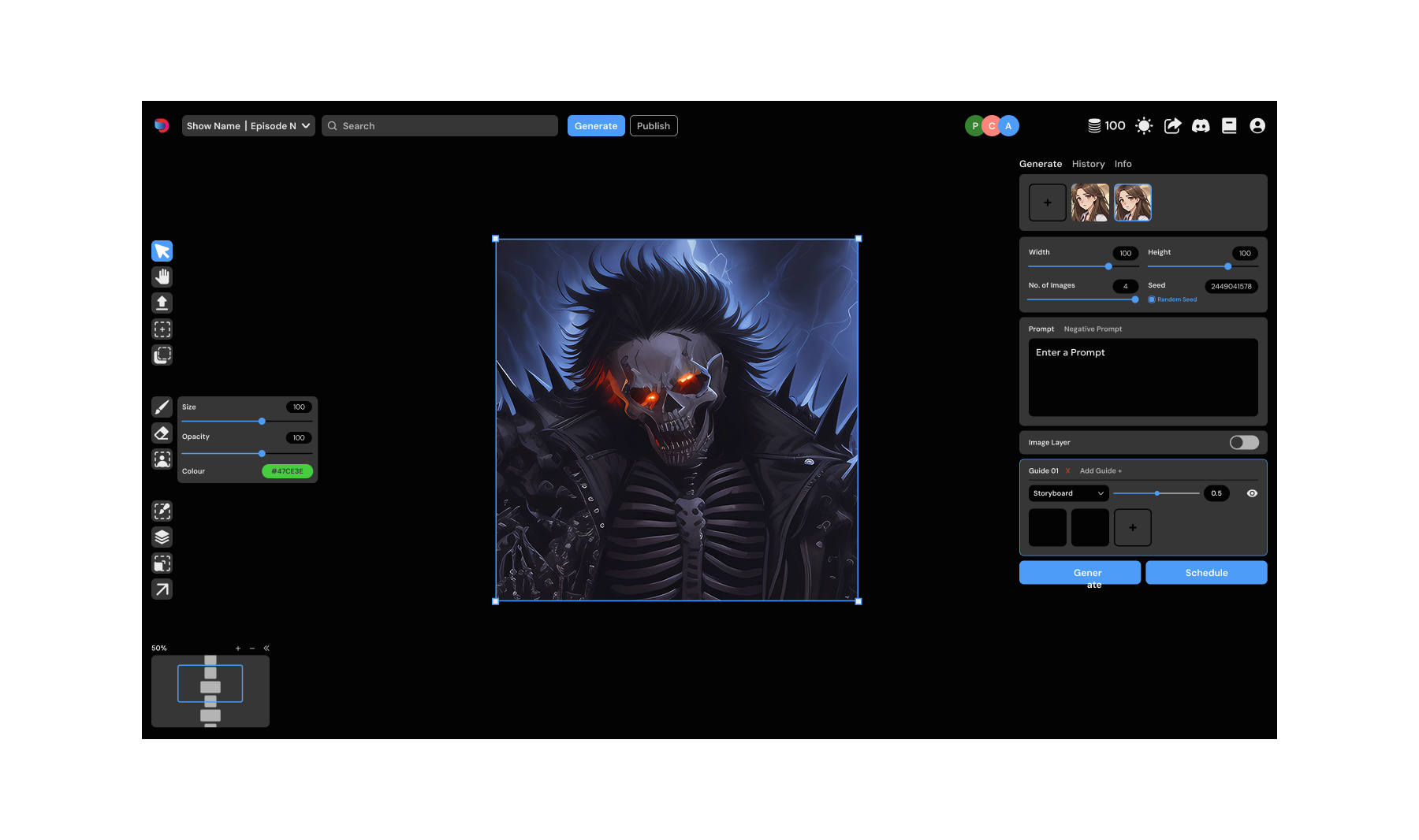 Dashtoon Studio, mid 2023
In terms of the approach, we wanted to achieve parity with the image gen process of Automatic 1111 and then start absorbing the different parts of the workflow. Every element in the above design went through multiple variations.
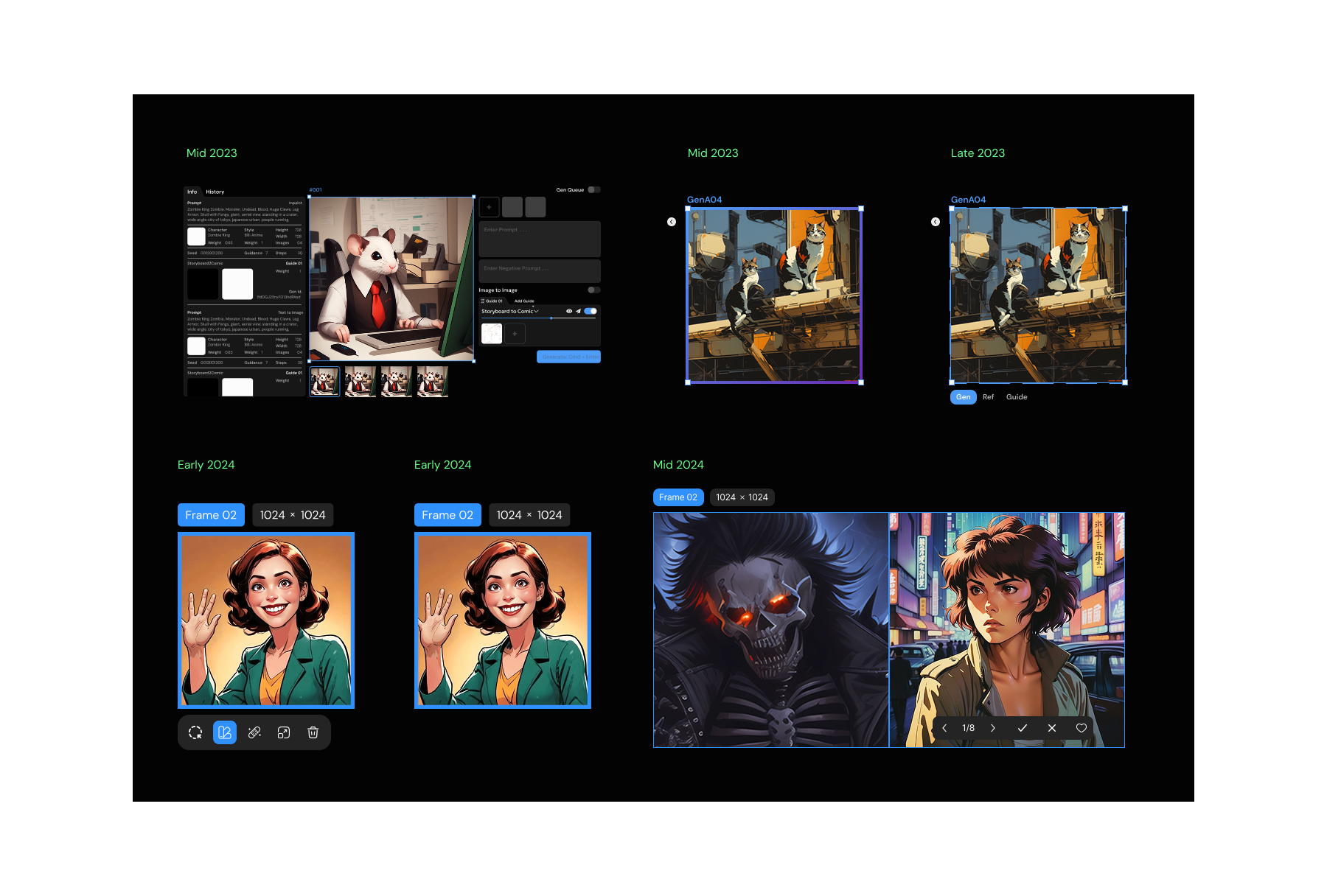 Some iterations of the 'frame' over the years
Here are some of the iterations of the 'selected state' of the 'frame' component.
I remember the time we shipped the three-tab frame (top 3rd in the image above). So the requirement came from the tech capability of doing image to image over a reference image and another image as an input to the Lora being used. I pushed back hard against the idea but it got shipped anyway.
A video of the Ref | Gen | Guide thingy at work.
So it was very specific to a particular operation - and there was an outrage amongst the artists working on the platform. This feature messed up their deadlines, understanding it was harder and adoption was a nightmare. And they hated every minute of it. Some were furious. Some left. We rolled it back in a month.
That's when I started bringing evidence instead. Conducting user research before critical decisions. Prototype validation before the build. Testing and validation after shipping. If instinct wasn't enough, the data would have to be.
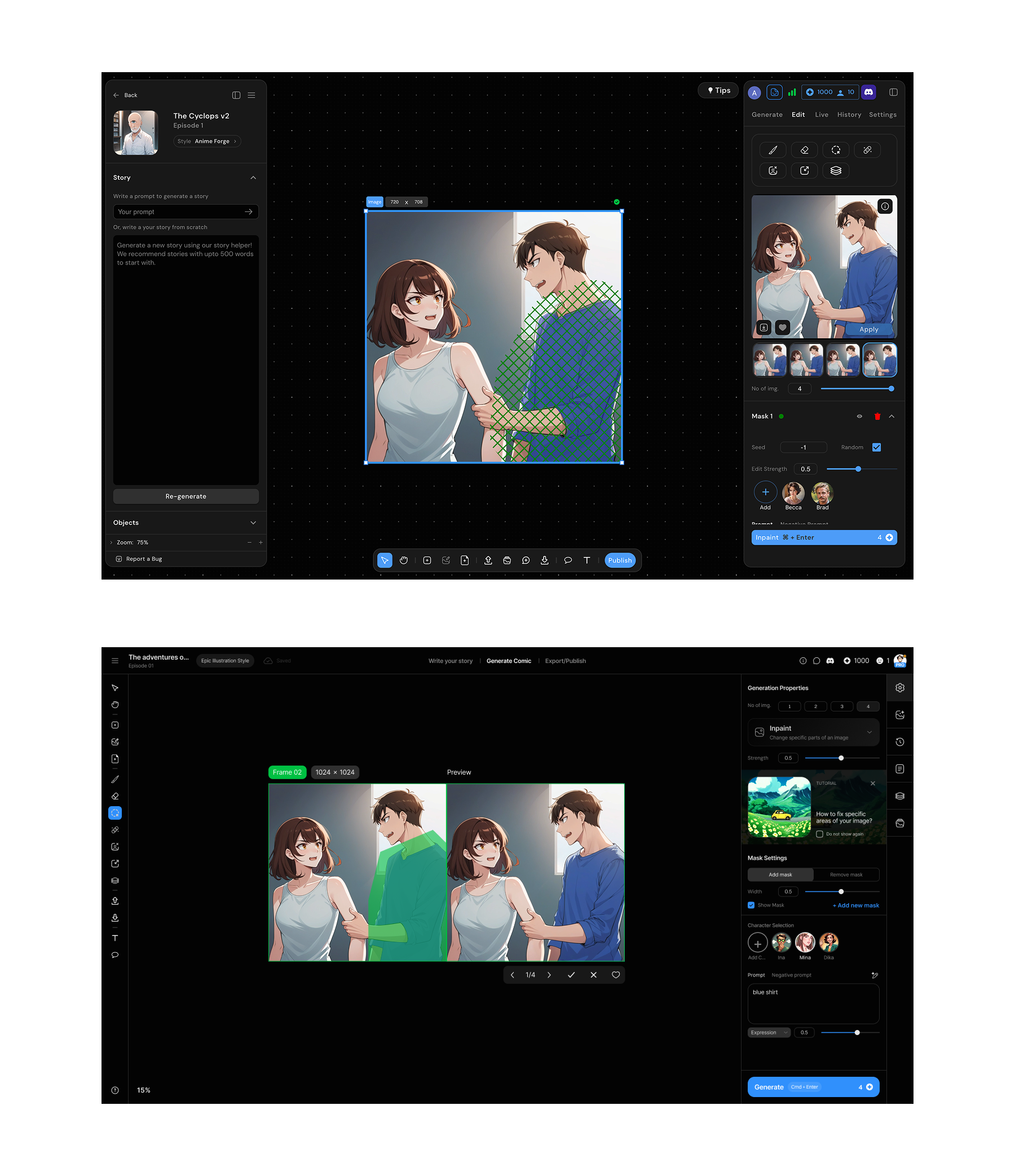 Toolbar position explorations, bottom vs left
The canvas started with Figma. I was a heavy Figma user and the frame concept translated directly. A defined space where content lives, with properties in the right panel.
But we were building a platform for image generation with AI. So we had to rethink a lot of the UX from scratch. The toolbar positioning, handling of layers, generation settings, history and so many other things. I worked through every piece bit by bit, over multiple iterations, ideating, prototyping & testing with the users.
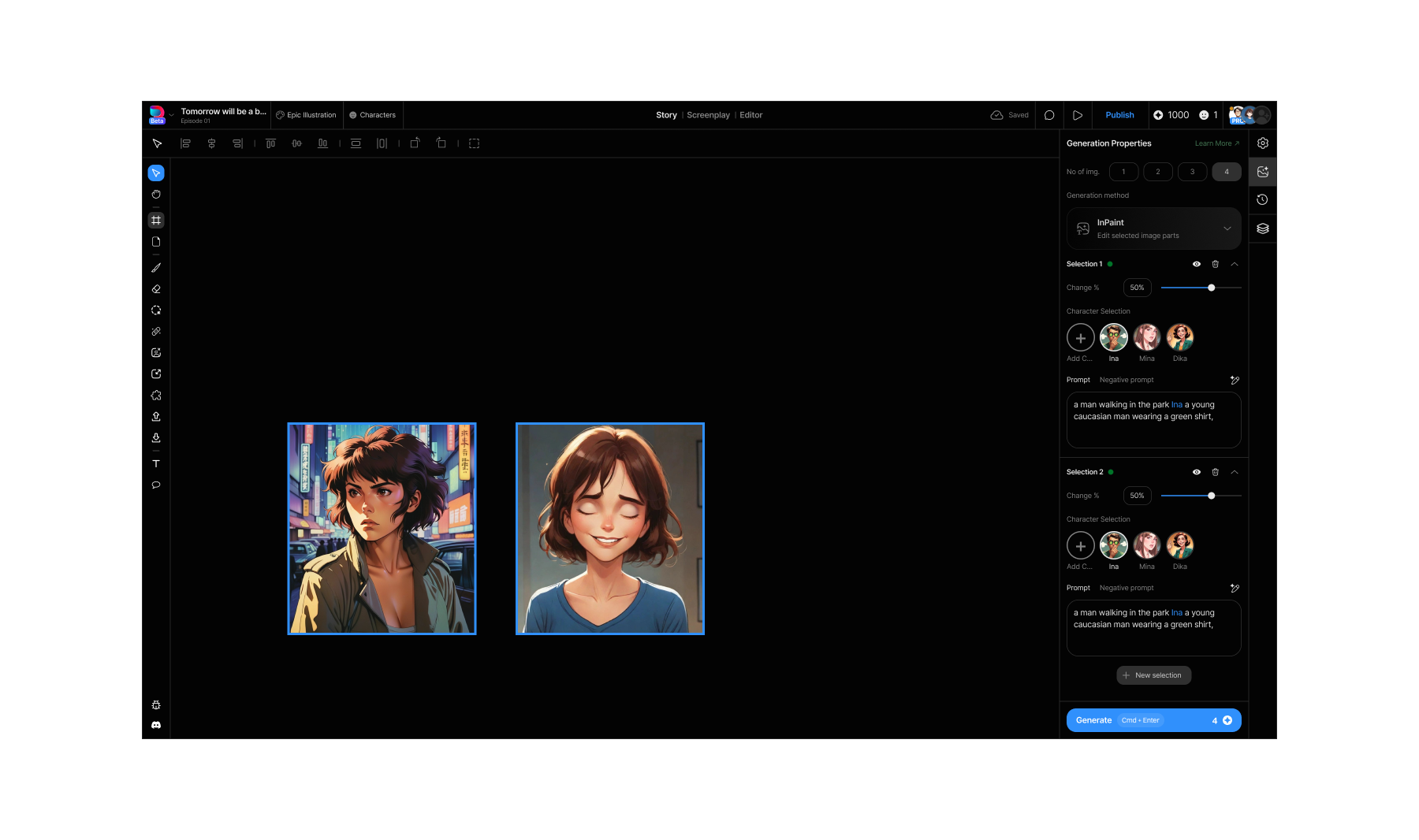 Bulk selection opterations
Bulk operations we had borrowed from Figma's mixed values pattern, where multiple selected objects show shared properties that can be overridden together. Except ours triggered generations, not just style changes. Select multiple frames, set shared parameters, generate together. We later added an option to show gen settings for all selected frames on demand.
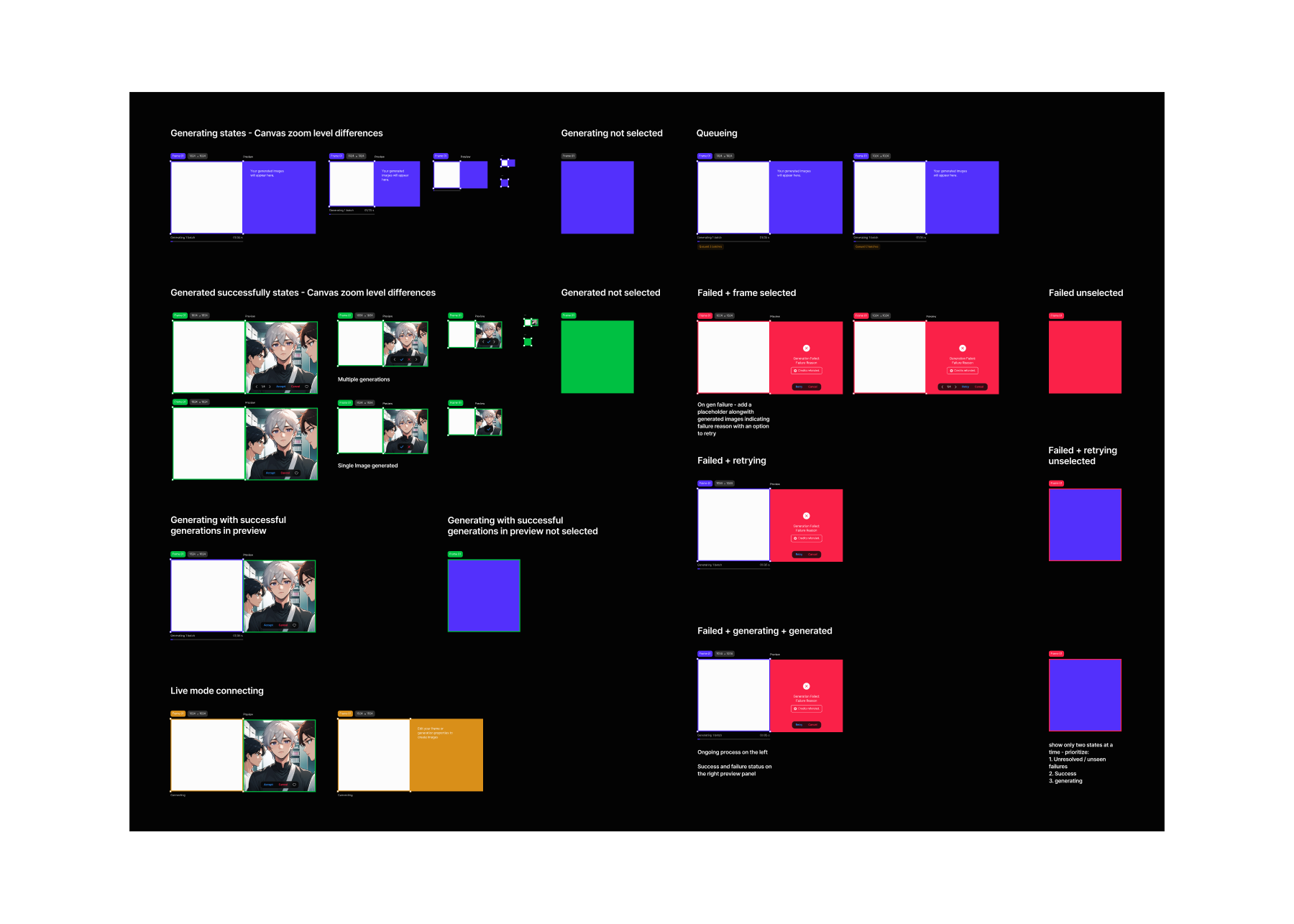 Frame states with the contextual previewer
The contextual previewer that came next to the frame, took the longest to get right. There were some simpler options like replacing the image in place post generation, or drop everything onto the canvas after the generation completes. Both were wrong.
Here's why. Model quality at the time meant every image needed 4–8 refinement steps before it was usable. Each step generated 4 variants. An episode had roughly 30 images. That's 30 × 6 steps × 4 variants, close to 700 images per episode moving through the pipeline.
Replacing in place meant losing the original. Dropping to canvas meant 700 images on a canvas that already had 30 final frames on it. Neither gave artists what they actually needed: the original input for context, multiple variants to choose from, and a clear path to approve and move forward.
The floating contextual previewer kept 30 frames on the canvas, with one per scene, always at the latest approved stage, while the generation work happened separately. Variants appeared, got reviewed, got approved or discarded. The canvas stayed clean. The pipeline stayed visible.
Nobody noticed it. That was the point.
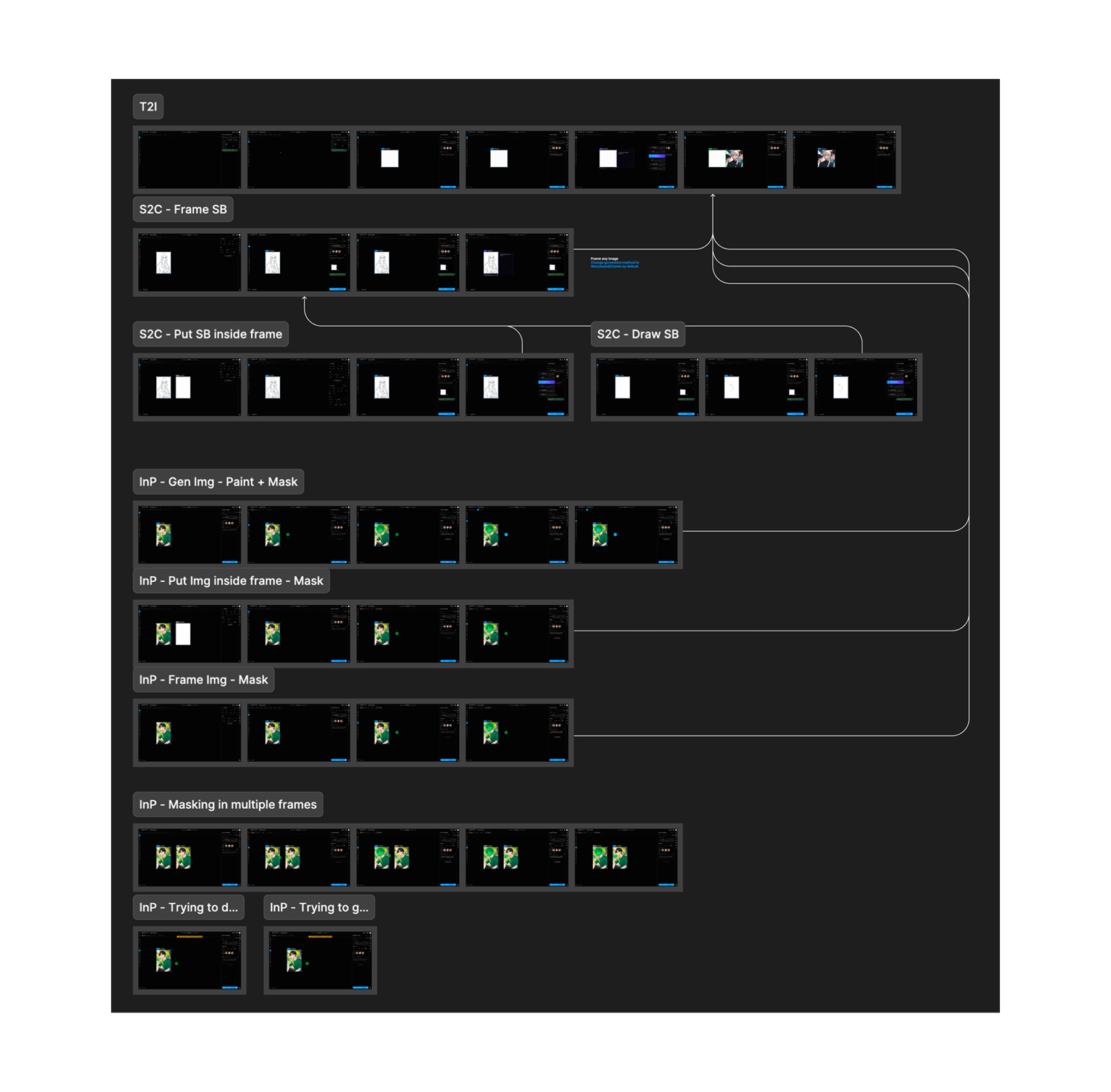 Userflows from 2024
Two years of building an AI canvas taught me a lot of things. This post covers just the tip of the iceberg, but there's a lot more - dashboard, creator profile, publish flow, character creator and manager, story mode, screenplay system, design systems and so on.
We went through roughly 6 cycles over a year and a half, iterating over the canvas, increasing artist productivity from ~12 images/day to 60 images/day which made it possible to publish 1 webcomic episode a day. (Traditionally it takes creators ~1/2 weeks for a single webcomic episode).
By the end the artists loved it. Not because it was beautiful, but because it gave them capabilities they didn't have before and got out of the way while they used them.
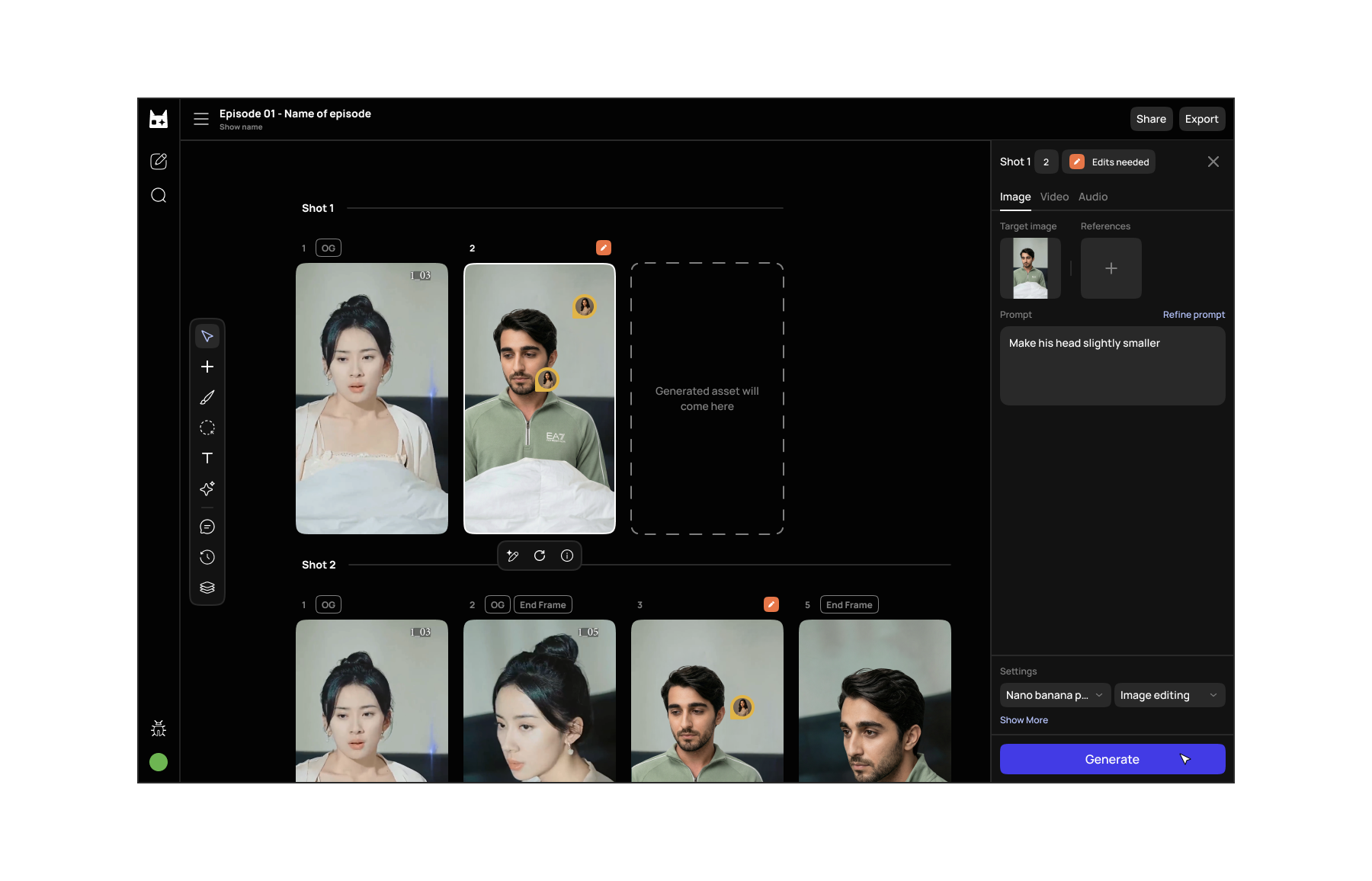 The canvas, early 2026
Read more
- Vibing this website into existenceYour portfolio has the same problem mine did. Here's how I fixed mine — and why you can fix yours too.
- Refining the design process with AI in 2026I moved the design process at Dashverse from Figma to Claude Code and GitHub. Design output doubled. Here's what that actually looks like.
- Taste is not a VibeTaste isn't something you're born with — it's something you build. A practical breakdown of how designers develop, sharpen, and apply genuine creative judgment in an age where AI can make anything but can't decide what matters.